Plesk VoloWeb Knowledge Base · 1 min read

How to Delete a Database in Plesk

Back to Plesk


1. Log in to your Plesk account.


2. Click on Databases from the Sidebar Menu.
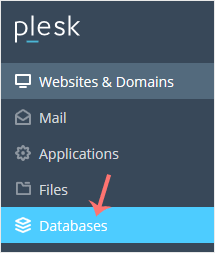
Plesk database menu


3. Choose the database you want to remove from the list of databases.
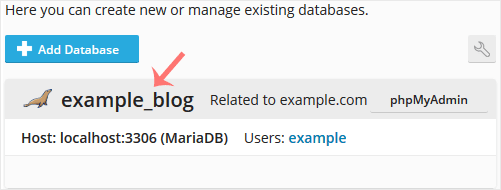
Plesk database list


4. Proceed with Remove Database. A confirmation box will appear. Confirm with Yes.
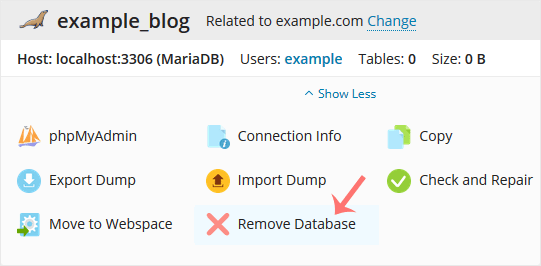
Plesk remove database final


Your database will be removed.

Need a hand with this?

VoloWeb hosting includes free migration, NVMe SSD, LiteSpeed & 24/7 Indian support — plans from ₹69/mo.

Get Started — ₹69/mo