Email VoloWeb Knowledge Base · 1 min read

How to Forward Email in Outlook 2019

Back to Email

You can forward the email using Outlook 2019.


1. Open Outlook 2019.

Outlook 2019 icon


2. Go to Inbox, right-click on the message you want to forward and click on Forward.
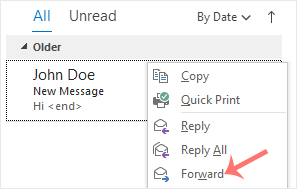
Outlook 2019 forward icon


3. Enter the email address of the person you want to forward the email to in the To field. Type your message in the message box and click Send.
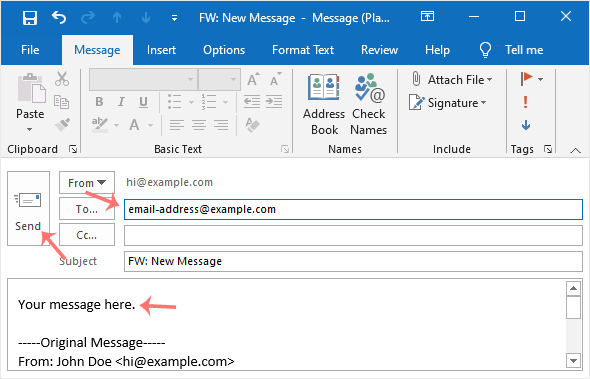
Outlook forward email


Need a hand with this?

VoloWeb hosting includes free migration, NVMe SSD, LiteSpeed & 24/7 Indian support — plans from ₹69/mo.

Get Started — ₹69/mo