Back to cPanel - Control Panel
You can enable cronjob notifications or update a cronjob's email address in cPanel.
1. Log in to your cPanel account.
2. In the Advanced section, click on Cron Jobs.

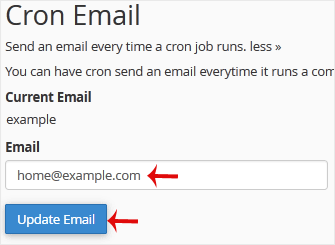
3. Under Cron Email, you should enter your full email address in the text field.
4. Click on Update Email.