Back to SiteWorx (Control Panel)
If you want to delete an FTP account, you can do it in the following way:
1. Log in to your SiteWorx account.
2. In the FTP section, click on Accounts.
3. Select the appropriate FTP account you want to remove and choose Delete from the drop-down menu.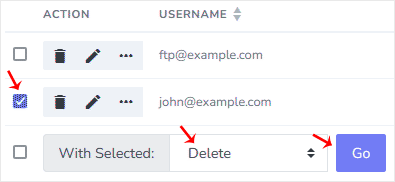
4. Click on Go and confirm with Delete.
You should see a message that the FTP account has been removed.